
Raptor Lite2.16.3 - App Store
You'll be able to see results in few seconds.
Publisher Description
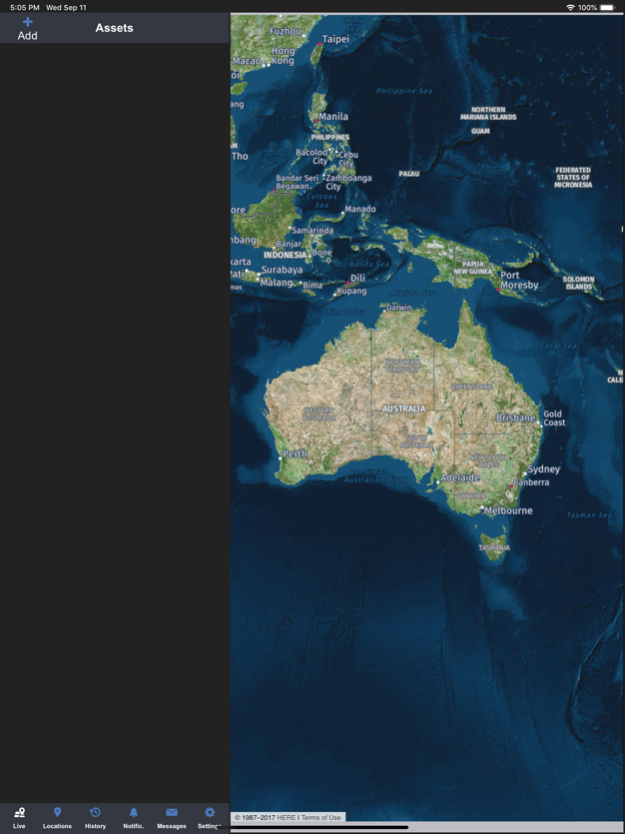
Raptor LITE by MTData puts your fleet in the palm of your hand, enabling you to manage a fleet of vehicles with the MTData GPS Tracking System from anywhere. Using Google Maps individual vehicles or predefined groups can be viewed anywhere in Australia.
Reduce fleet management costs and increase your fleet efficiency with one of Australiaís foremost suppliers of GPS Tracking and fleet management solutions; MTData.
To login, simply enter your current MTData software license login details.
Features:
Real time vehicle tracking: GPS tracking enables users to view the current location, direction of travel, speed and status of any vehicle installed with MTData vehicle tracking systems.
Waypoints: View all pre-defined waypoint locations as Google map overlays.
Driver details: Tapping on vehicle icons will show current driver if driver login is enabled in vehicle.
Note: You must have a current Tracking Client, Hawkeye or MTData software licence and associated login credentials to use this app.
Jul 27, 2023
Version 2.16.3
Mainly Fixed:
* Raptor Crashes on iOS 16.5
About Raptor Lite
The company that develops Raptor Lite is Mobile Tracking and Data Pty Ltd. The latest version released by its developer is 2.16.3.
To install Raptor Lite on your iOS device, just click the green Continue To App button above to start the installation process. The app is listed on our website since 2023-07-27 and was downloaded 0 times. We have already checked if the download link is safe, however for your own protection we recommend that you scan the downloaded app with your antivirus. Your antivirus may detect the Raptor Lite as malware if the download link is broken.
How to install Raptor Lite on your iOS device:
- Click on the Continue To App button on our website. This will redirect you to the App Store.
- Once the Raptor Lite is shown in the iTunes listing of your iOS device, you can start its download and installation. Tap on the GET button to the right of the app to start downloading it.
- If you are not logged-in the iOS appstore app, you'll be prompted for your your Apple ID and/or password.
- After Raptor Lite is downloaded, you'll see an INSTALL button to the right. Tap on it to start the actual installation of the iOS app.
- Once installation is finished you can tap on the OPEN button to start it. Its icon will also be added to your device home screen.
Program Details
System requirements
Download information
Pricing
Version History
version 2.16.3
posted on 2023-07-27
Jul 27, 2023
Version 2.16.3
Mainly Fixed:
* Raptor Crashes on iOS 16.5
version 2.16.2
posted on 2023-06-30
Jun 30, 2023
Version 2.16.2
Mainly Fixed:
* Raptor App map display issue
version 2.16.1
posted on 2023-06-02
Jun 2, 2023
Version 2.16.1
Mainly Fixed:1. iOS App crashing caused by multiple main view controller.
version 1.7
posted on 2012-10-10
Disclaimer
Official App Store Link
We do not host Raptor Lite on our servers. We did not scan it for viruses, adware, spyware or other type of malware. This app is hosted by Apple and passed their terms and conditions to be listed there. We recommend caution when installing it.
The App Store link for Raptor Lite is provided to you by apps112.com without any warranties, representations or guarantees of any kind, so access it at your own risk.
If you have questions regarding this particular app contact the publisher directly. For questions about the functionalities of apps112.com contact us.
